


Project Context
ISDI - Independent Studio
Time Frame - Junior Year, Sept. 2019 ( 5 Weeks)
Tools Used - Photoshop, Illustrator, XD
Pen & Paper, Procreate
Remoulding the way children have started thinking about reading physical books.
Reading, a dying culture- In this era where technology and
gadgets have taken over the minds of the kids, inculcating the habit of reading is becoming a challenge. It’s said once you learn to read you are forever free, the pros of reading cannot be measured.
Research
My first step was to attempt to understand the primary users and secondary users and their current experiences with respect to the reading culture and books. I also needed to explore previous research projects that have aimed to use methods to encourage the practise of reading so that I could have a basis for the project and understand how to design technologies for my target audience.
I used a variety of research methods in order to accomplish this step:
User Observations
Interviews
Literature Review
Observations led me to understand the attitude of children towards books in comparison to tech gadgets.
Semi-structured Interviews led me to understand how parents currently feel about their current experiences with getting their children to read books
I read up case studies and reasearched for ed tech products for children in the current market.


How can technology facilitate children's relationship with the reading of books?
Creating cross-platform interactive audio video. An attempt towards bridging technology and reading with HOB.

Concept Ideation & Narrowing
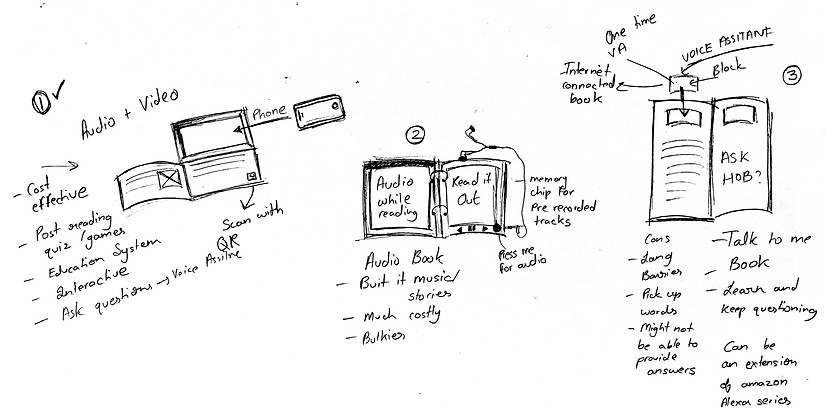
Narrowing it down to 3 concepts
A lot of the ideas were too small to be stand-alone products, but could easily fit together into a larger ecosystem.
Narrowing first consisted of comparing each idea to the design scope and then eliminating. I combined similar ideas to make them stronger and then sorted the concepts by how they would help the target audience.
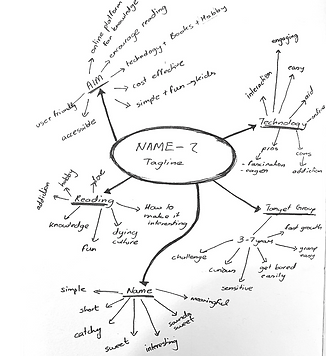
Mind Mapping
Creating cross-platform interactive audio-video. An attempt towards bridging technology and reading with HOB.

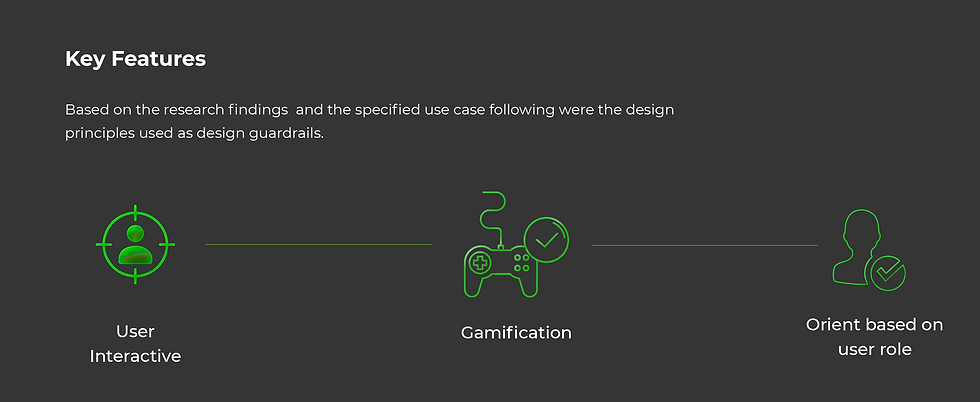


The Outcome
Creating cross-platform interactive audio video. An attempt towards bridging technology and reading with HOB.
All you have to do is simply scan the QR code on the front of the book. Then insert your phone Into the placement section. That's all and let your kid get into the reading mode.

How does HOB work?
The following flow demonstrates how our platform can be utilized to set up HOB as well as connect to the HOB App.
Choose book for your kid on the online website
Create account on HOB and order the book
Download HOB app on your mobile phone & login
Once the book is received scan QR on front cover
You can track your child's progress on the HOB portal
Let your child enjoy reading and listening
Insert phone in the book's top compartment.

Information architecture diagram was created in order to conceptualize the full user flow and user experience for key paths including onboarding, tracking reading records, purchasing, performance for the books.
Information Architecture
Stage- Wireframing
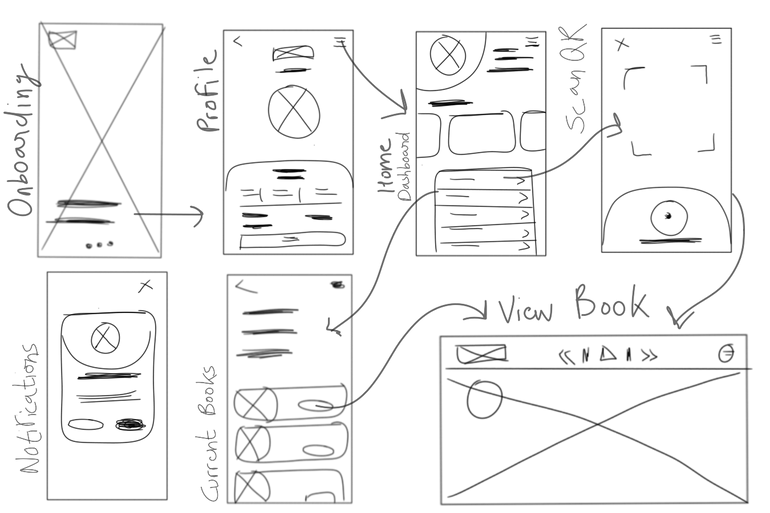
I started by sketching out the layout, interactions, ideas, and alternatives for the screens. In addition, I noted some areas that I found when actually sketching out the display, such as, the position of menus, what is better to show the info card and scanning, display mode summary, etc.

The HOB Interface
Application Key Features
Active Dashboard -
The dashboard will show all the active activities, books that are being read currently and will help the child pick it up from where it was left the previous time.
Parent's Portal -
The HOB Mobile app has a parent’s portal into how to check on the child's performance, reading analysis etc
Purchase Your Books-
The HOB Mobile app has a parent’s portal into how to check on the child's performance, reading analysis etc
Scan QR from book -
The HOB Mobile app has a parent’s portal into how to check on the child's performance, reading analysis etc
The HOB application is for both the parent and child to use together at the end of the day and provides a platform for the child's curiosity and learning.


HOB System
.png)
Brand Vision
Inspire and develop the youth of tomorrow.
Create a spirit of Freedom & Discovery amongst readers.
Inculcate the habit of reading
Build Up curiosity amongst kids.
01.
02.
03.
04.

Brand Style

#FFFFFF
#82027e
#89ba48
SWOT Analysis

Reflections
01.
02.
When I began testing the visuals and screens with the target audience I learned how certain styles and visuals may seem more attractive but when it comes to accessibility for a wide range of users it might make it a little complicated for the younger set of audience.
Accessibility should be given priority
No product/service can be successful if the center of attention behind designing at each stage is not thought through from the user's point of view. At each step, I went back and forth discussing with potential users which really eased the design process for me.
Understanding users right from the start