

Scrubble- Fostering & tracking healthy screen habits
As a part of the University of Michigan consumer health technology class my group and I wanted to work towards the pressing concern of screen time usage in children and look into ways to promote good and mindful screen habits that would be beneficial to our target audience in the long run.
Time Frame
Sept 2023 - Dec 2023
Team
Anantika S, Bhavya R, Prajkata B, Namratha B
My Role
Research, ideation, wire framing, prototyping & testing
Tools
Figma, Miro, Google Sheets & Adobe XD
In today's digital age, children are increasingly consuming media through screens. While screens offer educational and entertainment value, parents often worry about excessive screen time and its potential impact on their children's physical & mental development.
Current Challenge

How might we empower parents to regulate their children’s device usage and screen exposure while helping children foster healthy screen habits?

Our Users
Our users are busy parents/guardians trying to regulate their children's screen time habits to encourage a healthier lifystyle.
Parents/Guardians
Children - 5yrs to 12yrs
Alternative Activities


Offering a broad array of alternative, screen-free activities. At the heart of this system are highly customizable filters, allowing families to select activities based on specific criteria such as time availability, energy level, engagement, & budget.


Screen Time Monitoring
This intervention component offers parents insights into their child's digital behavior. It works by tracking the time the child spends on different devices throughout the day and then analyzing and visualizing the tracked metrics for the parent.
New User
Onboarding
On opening Scrubble for the first time, the user (the parent) is onboarded onto the application with a walkthrough of the key features.
Then, the user is asked to set up a profile for themselves and their child.


Parent Control &
Daily Limits
SCRUBBLE

The parents have the flexibility to set and edit the duration they want their child to be exposed to the screen daily and weekly.
Additionally, when the child is about to reach its screen time limit, notifications are sent to the parents & children.
Parent Facing Application
Design Concept
An application that empowers parents to track and aid their children to efficiently and collaboratively monitor their screen time through:

Analytics &
Dashboard

Actionable
Notifications

Suggestive Activities & Educational Content
Notifications presenting screen time data in a child-friendly & engaging way. Leveraging gamification and rewards to address user needs
Fun Notifications
& Rewards


Initial Research
Problem Space
To understand my target users, I used a combination of a literature review (8 published papers, 5 apps competitior analysis) and user interviews (with 5 parents and 5 children under the age of 13) to identify relevant pain points:

8 published papers
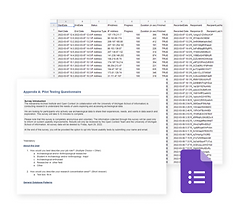
10 User Interviews


Competitor Analysis
Identifying essential information we need to fill in the gaps
After narrowing down the problem, we jumped straight into defining our understanding and assumptions. This helped us focus our research efforts on answering the following questions:
-
What are some helpful coping techniques to reduce screen time amongst children?
-
What are the difficulties parents face with the current screen tracking apps?
Discovery
User research was quintessential. The complex nature of this problem and kids interactions with screens needed to be laid out in detail. In order to achieve that, I gathered as much as I could from the end users to understand the challenges they face and how they see the app making a difference in optimizing pain areas.




Interviews
Research processes are highly dependent on the project, and for this one, I prioritized interviews. We conducted 10 interviews with people who have kids under the age of 12 years.
Goals:
-
Understand current pain points users face when trying to develop timed screen habits for kids.
-
Are there any identifiable patterns within different users mental models?
Rationale:
I wanted to go beyond the "what" and understand the "why" behind user pain points. Interviews, with their rich qualitative data and follow-up opportunities, were the perfect tool to tap into user emotions and gain a truly nuanced picture of their experience.

"When our timers go off, sometimes we just stay on for longer than we’re meant to. We just kind of say something like, ‘I’m finishing this video.’ And then like start another video and … kind of lose track and keep going and going and going.”
-Child aged 10, female
“When she’s tired when she’s had a lot of screentime, as I said that little cyber demon comes out, it creates more arguments.”
-Parent aged 43, female; child aged 10, female
“I feel like being on the computer for the entire day kind of gets to me, and I don’t really sleep very well, and sometimes I get a bit emotional, sad for reasons I don’t really know.”
-Child aged 12, male
User pain points based on interviews
Competitive Analysis
Finally, before moving on to ideating, we wanted to conduct a competitive analysis. Mobile apps were uncharted territories for our team. We audited mobile apps, with a similar target audience to understand common UI trends and how they maintain their user goals.
This was important to us as this would serve as the foundation for user motivation to complete tasks.





Lack of Personalization
Insight 1
One-size-fits-all goals and strategies might not resonate with individual needs and usage patterns.
Passive Tracking
Insight 3
Based on analysis many apps simply track screen time without offering actionable insights or guidance for reducing it.
Habits and
Addiction
Insight 2
Breaking established screen time habits, especially if bordering on addiction, requires more than just awareness. Apps need to address motivational & psychological aspects of behavior change.
Insight 4
Some apps lack features to block or restrict access to specific apps or categories, hindering meaningful change.
Design Goals
Combining the above insights into three high-level goals.
We defined our focus by combining learnings from the secondary research, user interviews, and market research as the following high-level goals:
Supporting routine building
Promote non-screen habits
Leverage
rewards
The solution must support our users in building a healthy screen time habit. We learned goal settings & tracking can do this by providing motivation, a sense of accomplishment, and companionship.
We want to cater to the root cause of the problem. To tackle this we strive to wean the kids into fun non screen alternatives activity options.
Many games retain players by encouraging them to collect points and offer rewards for returning users. We should leverage this concept to prompt the user to continue meeting their screen time goals.


Causal Diagrams
By analyzing the strength and direction of the relationships between variables, we were able to identify the critical leverage points that would yield the most significant improvements in user satisfaction, engagement, and conversion rates.
Parental Guards, Daily Limits, and Unlocking features
.png)
Educating Parents on Recommended Alternatives and Help Topics

Design Rationale
We considered the following design principles while creating the interface and functionality of the application:
Gamification:
To engage and improve the interaction for children, our app incorporates gamification elements, including an XP system and a friendly mascot. This also makes the screen time management process more enjoyable for children.

Crowdsourcing:
Leveraging the community's collective wisdom, our app enables parents to share reviews and insights into blog activities.


Multiple Role Support:
The app caters to both child and parent perspectives, fostering a sense of responsibility in children by presenting a child-friendly interface. Simultaneously, parents can monitor their child's activities, promoting a collaborative and supportive approach.

Actionable Notifications:
The app ensures streamlined interaction by providing timely and actionable notifications for both parents and children, facilitating seamless communication, and promoting adherence to set screen time limits.


Conceptualization & Wireframing
After several brainstorming sessions I evaluated potential features on the following three categories: How many user pain points does this address, how much value will these feature bring to reduce screen time and how simple & communicative the features are. Tallying up the scores, I defined the scope for the MVP:
User Testing Hypotheses
Finally, before moving on to ideating, we wanted to conduct a competitive analysis. Mobile apps were uncharted territories for our team. We audited mobile apps, with a similar target audience to understand common UI trends and how they maintain their user goals.
This was important to us as this would serve as the foundation for user motivation to complete tasks.
01
Proposed interface design will effectively balance screen tracking with engaging, non-digital activities
03
Proposed interface design will provide additional functionalities or resources for parents to help support their children's healthy screen habits
02
Proposed features will help with goal setting and rewards features will motivate children to limit screen time
User Testing
In this stage, my team and I conducted focus group to test the usability and learn more about user needs. We also tried to understand the users perspective on if we were meeting their and the kids needs. The goal of the study was-
10
Users
95%
Task Completion rate
100%
User
Satisfaction
5%
Error rate
-
Evaluate the child-friendliness and engagement of the app
-
Understand what additional functionalities or resources would parents find helpful in supporting their children's healthy screen habits
-
Study if the goal setting and rewards features motivate children to limit screen time

My 7-year-old Noah struggles with the concept of "minutes but " He understood the visual bars and emojis representing his screen time
Participant 1
As a parent I often do not know how to engage my child, the crowd sourcing activities is very helpful.
Participant 2
I love how playful the visual language and character of the app is.
Participant 3


User Test Findings
Informative
content
Insight 1
The users especially the parent target audience felt the content in the app was very informative to engage kids on non screen activities.
Intuitive Navigation
Insight 3
The participants found the app easy to interact with and intuitive enough to follow and make their way to performing the required tasks.
Appropriate visual language
Insight 2
Both the target audience liked the playful imagery and visual style used in the application.
Rewards & Goals
Insight 4
The users found the rewards would give that extra nudge to the kids to help them maintain their goals adding in meaningful change.
How would I measure success
If I could further build & develop out this solution, I would measure its success by looking at a few key indicators:
Learnings
Simplicity is strength
It's tempting to get flashy with design trends, but remember, good design starts with understanding users and solving their problems. Keep it simple and functional
Seek out feedback early and continually
Don't be afraid of critiques! Get users input early and often. Testing prototypes (even rough ones) saves time and avoids major rework.